Ah, the thrill of the open road, the sense of discovery, the sheer joy of a smooth, uninterrupted journey! Whether you're a seasoned road warrior or just enjoy a pleasant drive, the experience of navigating the digital highways with ease is something we all appreciate. Think of it like this: you're heading to your favorite coffee shop, the route is familiar, and you expect a seamless ride. Similarly, when we use our Apple devices, we often expect our online activities to flow just as smoothly.
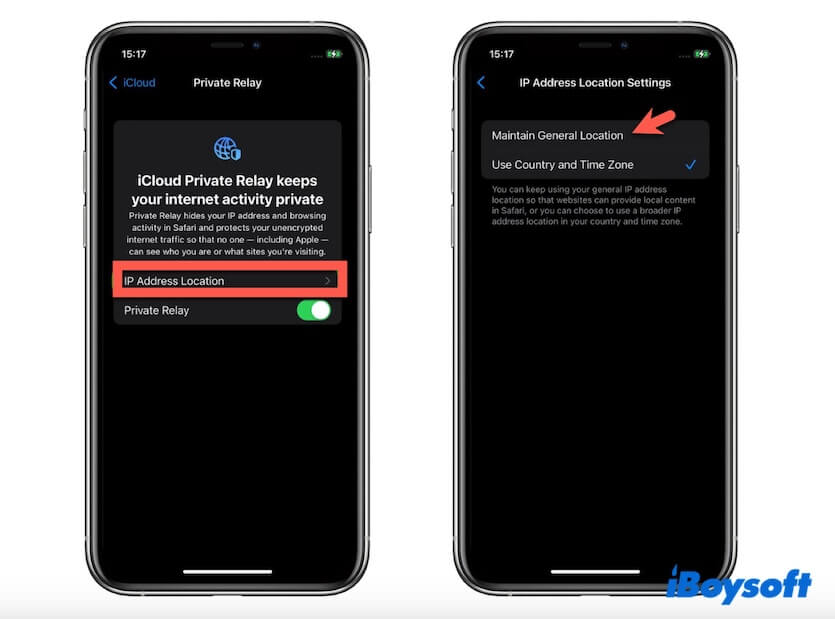
This is where things like iCloud Private Relay come into play. It's Apple's way of giving you a little extra privacy and security when you're browsing the internet. Imagine it as a private tunnel for your online traffic. Instead of your internet service provider and the websites you visit seeing your exact IP address and knowing exactly what you're up to, Private Relay acts as an intermediary. It masks your IP address and encrypts your traffic, making it much harder for anyone to track your online footprint. This is particularly useful when you're on public Wi-Fi, where your data is more vulnerable. It helps keep your browsing habits private and your personal information secure.
So, how might you encounter this little digital guardian? Well, if you're an Apple user with an iCloud+ subscription, you've likely got it turned on without even realizing it! It works in the background, seamlessly protecting your Safari browsing. It’s like having a helpful assistant making sure your online errands are conducted with discretion. You might notice it if you're trying to access a geo-restricted website, for example. Because your IP address is masked, it can sometimes appear as though you're browsing from a different location, which can be a helpful perk for accessing content. However, this is also where some users might hit a little bump in the road.
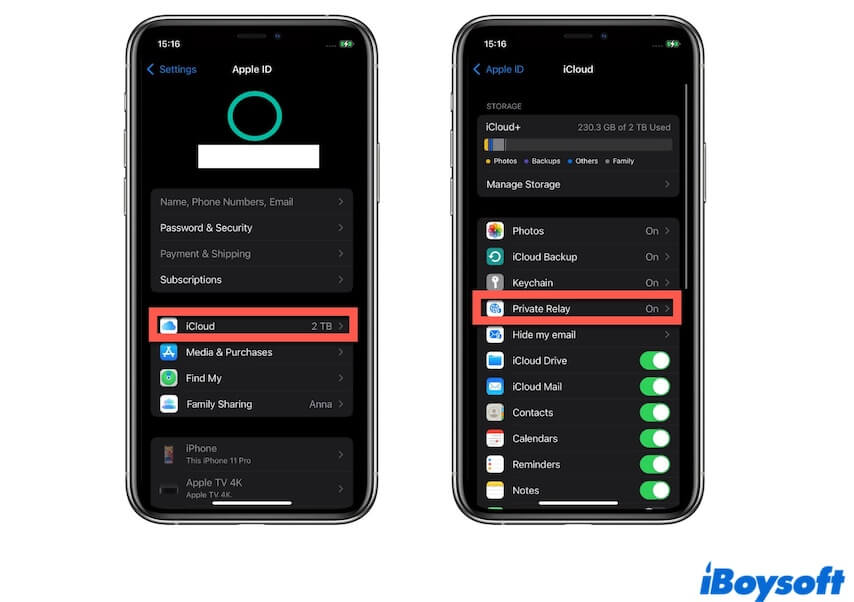
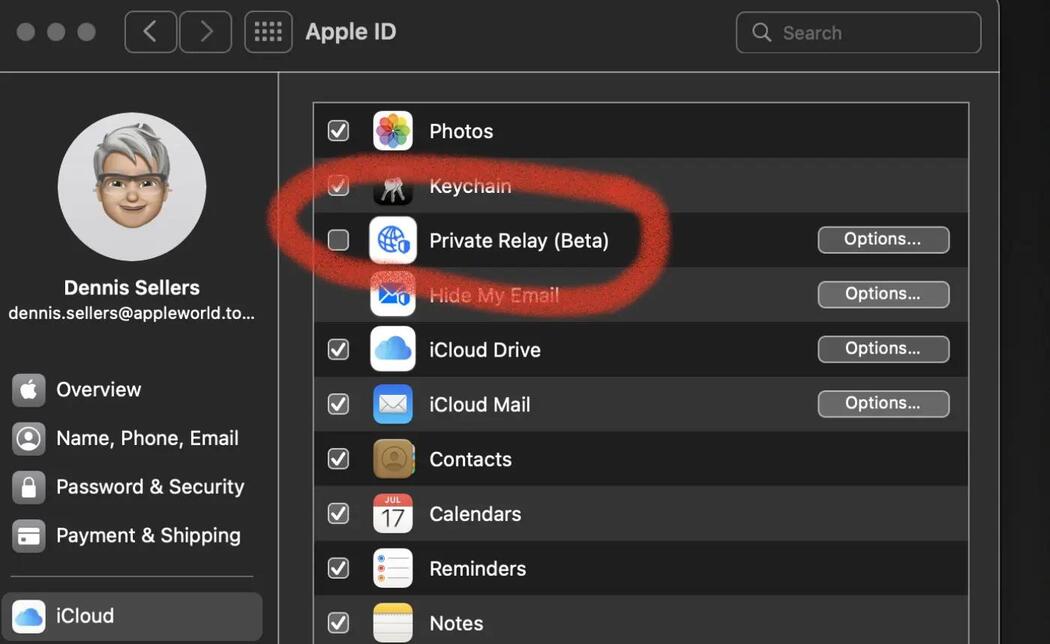
Occasionally, you might encounter a message like "Safari Can't Connect To iCloud Private Relay." Don't panic! This usually means there's a temporary hiccup preventing that private tunnel from establishing. It's like a traffic jam on your digital route. The most common reasons are often simple. First, make sure your device has a stable internet connection. A weak Wi-Fi signal or a spotty cellular connection can be the culprit. You might also try turning Private Relay off and then back on in your iCloud settings. This is like rerouting your journey to find a clearer path. Another tip is to check if your iOS, iPadOS, or macOS software is up to date. Sometimes, older versions can have compatibility issues.
For an even more effective experience, consider how you use your network. If you're on a network that heavily restricts VPNs or proxies, Private Relay might sometimes be blocked. In such cases, temporarily disabling it might be necessary for that specific connection. Ultimately, the goal is to enjoy your online adventures with peace of mind. By understanding what iCloud Private Relay does and knowing a few troubleshooting steps, you can ensure your digital journeys remain as smooth and secure as possible, allowing you to explore the web with confidence and privacy.