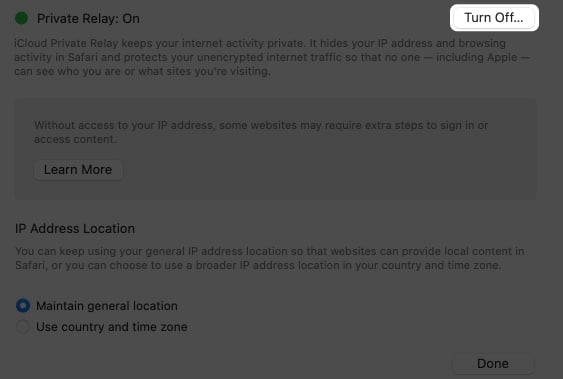
:max_bytes(150000):strip_icc()/002_turn-off-icloud-private-relay-5200342-c151ee4fa2ad4911a3eb6ea1ef5305e9.jpg)
You know that feeling? You’re finally home after a ridiculously long day, maybe you battled traffic, maybe you battled a particularly stubborn printer at the office, or maybe you just battled your own brain trying to remember where you put your keys. The point is, you’re done. You collapse onto the couch, pull out your phone, and all you want is to surf the web in peace, maybe catch up on cat videos, maybe doomscroll a little – whatever your particular brand of digital relaxation is. And then you see it. That little icon in your iCloud settings: Private Relay. It's usually humming away, doing its thing, masking your IP address and generally making you feel like a digital ninja. But today, for some reason, it’s just… in the way.
Maybe you’re trying to access a local network device, like that smart fridge that’s supposed to be helping you manage your groceries but mostly just taunts you with its blinking lights. Or perhaps you’re trying to connect to your office VPN, and Private Relay is being a bit of a roadblock. Suddenly, that cool privacy feature feels like a tiny, digital speed bump right in the middle of your much-needed decompression time. It’s like trying to enjoy a perfectly brewed cup of tea, only to find a single, rogue coffee bean floating in it. Annoying, right?
This, my friends, is where the magic of a network-specific off-switch for Private Relay comes into play. Think of it as a little digital dimmer switch for your privacy. You can have it on full blast when you’re out and about, feeling all mysterious and untraceable, but when you’re in the comfort and safety of your own domain (or your trusted office network), you can dial it back a notch, or even turn it off entirely, just for that specific connection.
It’s not about ditching privacy altogether, oh no. We’re not advocating for that. It’s about smart privacy. It’s about understanding that sometimes, the very features designed to protect you can, ironically, hinder your everyday functionality in controlled environments. It’s like wearing a full hazmat suit to go grab your mail. Necessary sometimes, but not exactly convenient for a quick peek at the junk mail.
Why the Fuss About Private Relay?
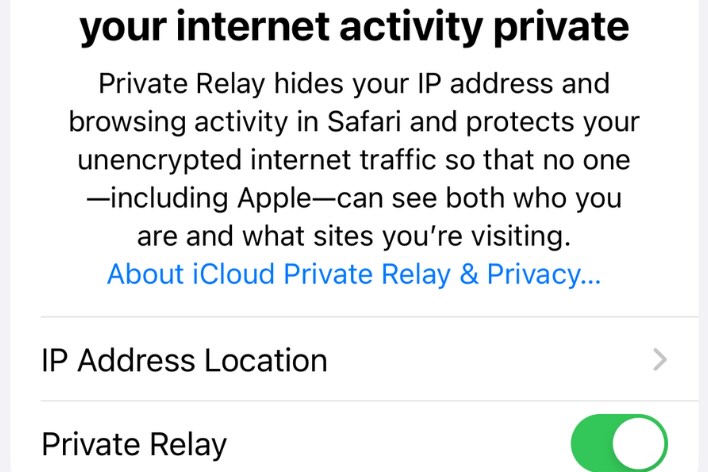
For those of you who might be a little fuzzy on what Private Relay actually does, let’s do a quick recap. Essentially, it’s a privacy feature built into iCloud that hides your IP address and encrypts your internet traffic when you use Safari. It’s like having a secret tunnel for your browsing data. Your requests go through two separate relays: the first knows your IP address, but not the website you’re visiting. The second knows the website you’re visiting, but not your IP address. Pretty neat, huh? It makes it harder for websites and advertisers to track your online activity across different sites. Think of it as a digital cloak of invisibility. And for the most part, it’s a fantastic tool.
But here’s the kicker: that cloak of invisibility can sometimes be a bit too effective. When you’re on a network where you know who’s providing the internet, and you trust that network, having your traffic masked might feel… well, like overkill. It’s like wearing sunglasses indoors when it’s already dark. They’re doing their job, but they’re also preventing you from seeing what’s right in front of you, like that crucial button you need to press on your printer.
The Home Wi-Fi Conundrum
Let’s talk about your home Wi-Fi. It’s your digital sanctuary. You set it up, you know who has the password (mostly), and you generally trust it implicitly. You might have smart home devices – speakers, lights, thermostats, security cameras – that all live happily on your local network. And many of these devices, for them to work seamlessly, need to be able to communicate directly with each other, or be accessible via your local network’s IP addresses. When Private Relay is active, it can sometimes act as a barrier, preventing your phone or other devices from easily finding and interacting with these local gadgets.
:max_bytes(150000):strip_icc()/001_turn-off-icloud-private-relay-5200342-549b84f8796543cda00fda6175fdc8bf.jpg)
Picture this: You’re trying to tell your smart lights to dim for movie night via your phone app. Normally, it’s a breeze. But with Private Relay on, your phone might be trying to access your lights through that super-secret tunnel, and the lights are just sitting there on your local network, saying, "Uh, who are you? I don't know you, guy!" It can lead to frustrating moments where your tech, which is supposed to make life easier, suddenly feels like it’s playing hard to get.
And it’s not just about smart home devices. Sometimes, you might want to access your home’s network-attached storage (NAS) for a quick file transfer, or perhaps you’re running a local web server for some personal project. These are all things that are designed to be accessed within your private network. When Private Relay is rerouting your traffic, it can make these local connections more complicated, or even impossible without some serious fiddling.
Honestly, sometimes it feels like you're trying to have a conversation with your family across the dinner table, but someone has put up a soundproof glass wall between you. You can see them, but the direct, easy chat is gone.
The Office Network: A Different Kind of Trust
Now, let’s switch gears to your office network. This is a different beast entirely. You likely connect to your office Wi-Fi because you need to access company resources, connect to your work VPN, or perhaps collaborate with colleagues on shared drives. Your office network is managed, secured, and you’re generally operating within a set of established protocols.

Connecting to your office VPN is a prime example of where Private Relay can cause friction. The VPN itself is designed to create a secure, encrypted tunnel for your work-related traffic. If Private Relay is also trying to mask your IP address and encrypt your traffic before it even gets to the VPN client, you can run into all sorts of connection issues. It's like trying to put two different kinds of coats on over each other when you're already wearing a bulky sweater – things just don't fit right, and you can't move freely.
The IT department might also have specific network policies in place that require your device to be identified in a certain way. When Private Relay is masking your IP, it can interfere with these identification processes, potentially causing access problems to printers, internal servers, or other critical office resources. Imagine showing up to work with a mask on, and security doesn’t recognize you because they need to see your face. A bit of a security faux pas, if you ask me.
So, while Private Relay is brilliant for protecting your identity from the wider internet, it can sometimes be a bit too enthusiastic when it comes to your trusted, local, or corporate networks. It’s all about context, isn't it? Privacy is paramount, but so is functionality. And when the two clash, we need solutions.
Enter the Network-Specific Off-Switch
This is where the dream of a network-specific off-switch for Private Relay becomes incredibly appealing. Imagine being able to tell your iPhone, "Hey, when I’m connected to my home Wi-Fi network (let's call it 'MyCozyNest'), go ahead and disable Private Relay. But the moment I step outside and connect to, say, 'CoffeeShopGuest,' then fire it back up!" Or, at the office, you could tell it, "When I’m on 'OfficeSecureNet,' turn Private Relay off. But for any other Wi-Fi, keep it humming."
This would be a game-changer for user experience. It would provide the best of both worlds: robust privacy when you’re in an untrusted environment, and seamless connectivity when you’re on a network you know and trust. No more fumbling through settings every time you want to access your smart home or connect to your work VPN. It would be an automatic, intelligent adjustment.
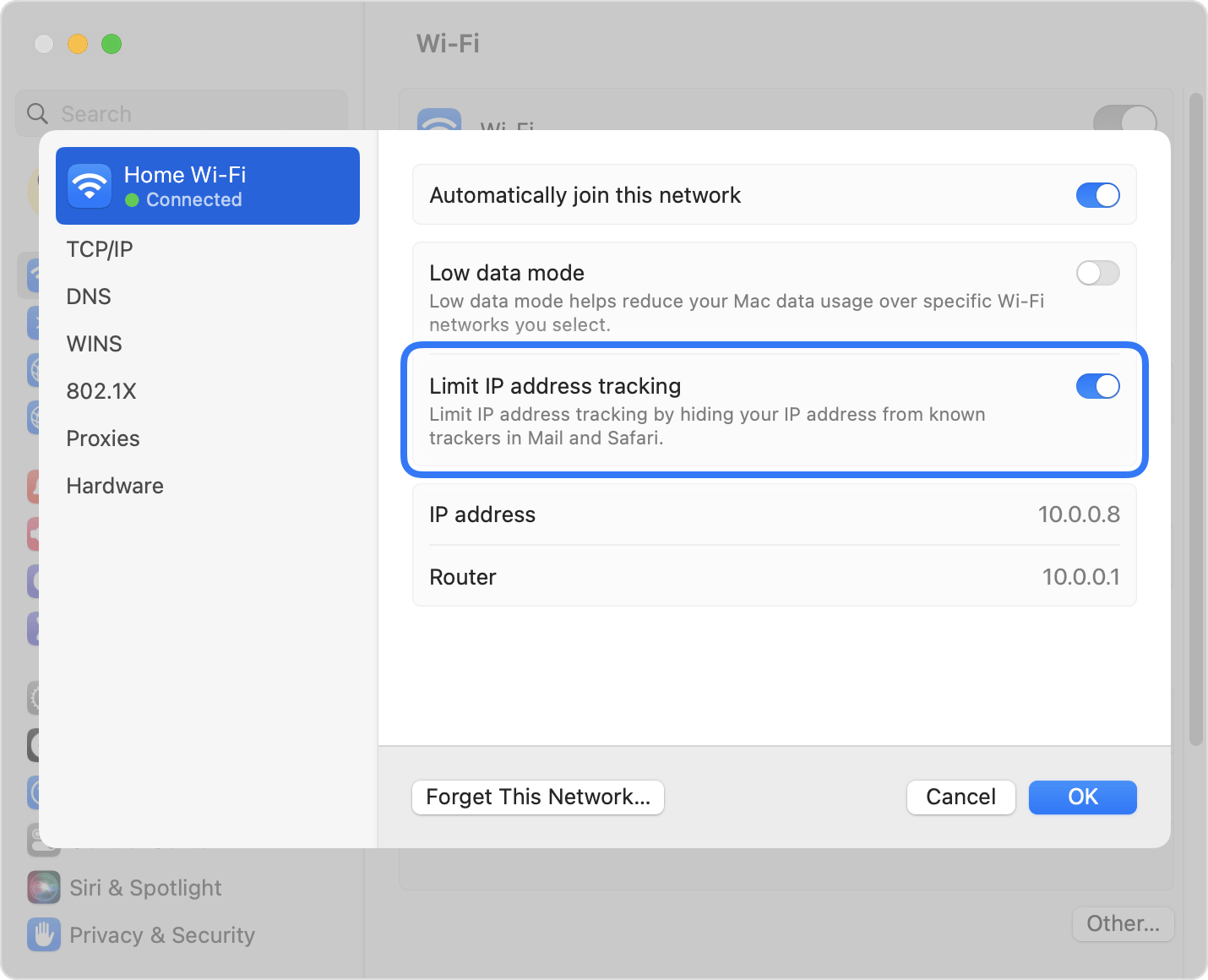
How would this even work, you ask? Well, from a user perspective, it would likely be a straightforward setting. You’d go into your Wi-Fi settings for a specific network, and there would be an option like "Private Relay: Always On," "Private Relay: Off for this Network," or perhaps "Private Relay: Smart (Default)." For the "Off for this Network" option, you might even have a sub-option to "Ask if unsure," which would be a nice touch.
From a technical standpoint, it’s certainly achievable. iOS and macOS already have the intelligence to remember network-specific settings, like proxy configurations or DNS settings. Extending this capability to a feature as core as Private Relay makes logical sense. It would involve the operating system identifying the active network and then applying a pre-configured setting for that specific network's Private Relay status. It’s not rocket science, but it would require careful implementation to ensure it doesn’t introduce new security vulnerabilities or confusion.
The Potential Benefits are Huge
The most immediate benefit, as we’ve discussed, is enhanced usability. For anyone with smart home devices, or those who frequently connect to their office network, this would be a welcome relief from the current need for manual toggling. It would reduce frustration and make the entire experience of using Private Relay a lot smoother.
Beyond just convenience, there’s also the potential for optimized performance. While Private Relay is generally efficient, adding an extra layer of routing and encryption can, in some specific scenarios, introduce a slight overhead. By disabling it on trusted local networks, you might see a marginal improvement in browsing speeds or responsiveness for local network tasks.
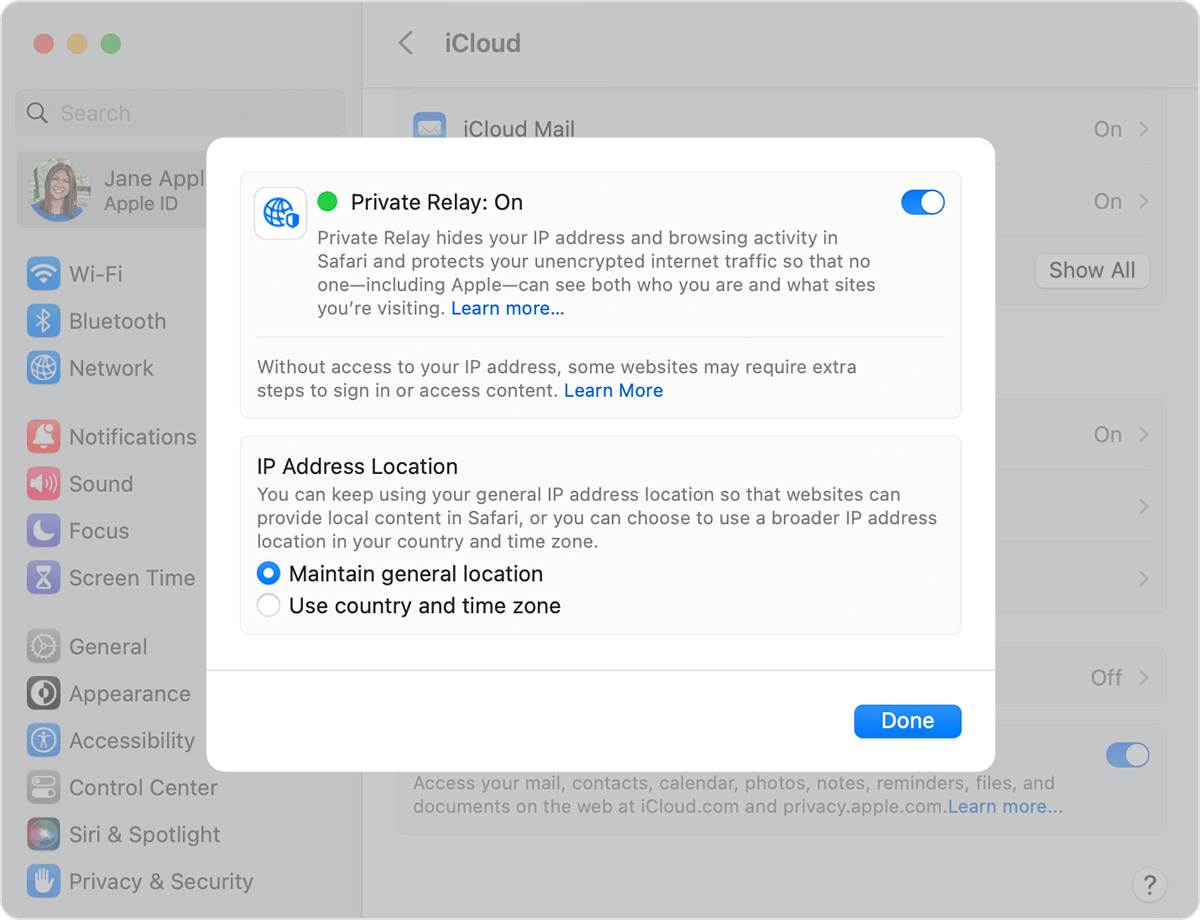
And let's not forget about broader compatibility. As more services and applications rely on direct network access or specific network configurations, having the ability to selectively disable Private Relay would ensure that users can continue to access all the tools they need, without compromising their overall privacy posture when outside these trusted zones. It’s about maintaining the integrity of your digital workflow.
Is This Wishful Thinking?
It’s a fair question. Apple is known for its carefully curated user experience and its strong emphasis on privacy. They’ve clearly put a lot of thought into Private Relay and its implementation. So, would they introduce a feature that essentially allows users to turn off a core privacy feature for specific networks? My gut feeling? Absolutely, yes. They've demonstrated in the past that they're willing to refine and add functionality based on user needs and real-world usage. Think about how features like app tracking transparency evolved. It’s about finding the right balance between powerful privacy protections and practical everyday use.
The demand for this kind of granular control is likely growing. As more people adopt Private Relay and encounter these network-specific challenges, the feature request will only get louder. And for a company that values user feedback and strives for intuitive design, this seems like a natural next step in the evolution of Private Relay. It’s not about weakening privacy; it’s about making it smarter and more adaptable.
So, while we wait for Apple to officially bless us with this functionality (fingers crossed for a future iOS update!), it’s worth considering the implications. It highlights a broader trend: the increasing sophistication of our digital lives and the need for privacy tools that can keep up. We want to be protected, but we also want our tech to just work. And sometimes, working means knowing when to lift the veil, just a little, on our trusted digital turf.
Until then, we’ll keep manually toggling, or finding creative workarounds. But the dream of a network-specific off-switch for Private Relay? That’s a dream worth holding onto. It’s the promise of a privacy feature that’s not just powerful, but also delightfully, intelligently, and seamlessly integrated into our lives.